

Status: placeholder. The lesson itself is not written yet. For now this notebook only states the learning objectives and checks that your environment is ready for the rest of the module.
Learning objectives
After this notebook you will be able to:
run, edit and re-run the cells of a Jupyter notebook;
use NumPy, SymPy and Matplotlib at the basic level the module needs;
read a notebook written by someone else and change its parameters to see what happens.
This is not a programming course: it covers only the minimum needed for the other notebooks.
Environment check
On Binder everything is already installed. On Google Colab the next cell installs the module’s helper package and its dependencies; elsewhere it does nothing.
import sys

if "google.colab" in sys.modules:
    %pip install -q git+https://github.com/telmomm/math-tools-biomedical-electronics
import matplotlib
import numpy as np
import schemdraw
import scipy
import sympy
import circuitmath
for module in (np, scipy, sympy, matplotlib, schemdraw, circuitmath):
print(f"{module.__name__:<12} {module.__version__}")numpy 2.5.3
scipy 1.18.1
sympy 1.14.0
matplotlib 3.11.2
schemdraw 0.23
circuitmath 0.1.0
If the versions print without errors, the environment is ready. The next two cells check that figures and circuit diagrams are drawn: you should see a 50 Hz sine wave and an RC circuit.
import matplotlib.pyplot as plt

from circuitmath.plotting import use_style

use_style()

t = np.linspace(0, 0.04, 400)
fig, ax = plt.subplots()
ax.plot(t * 1e3, np.sin(2 * np.pi * 50 * t))
ax.set(xlabel="t (ms)", ylabel="v (V)", title="50 Hz sine wave")
plt.show()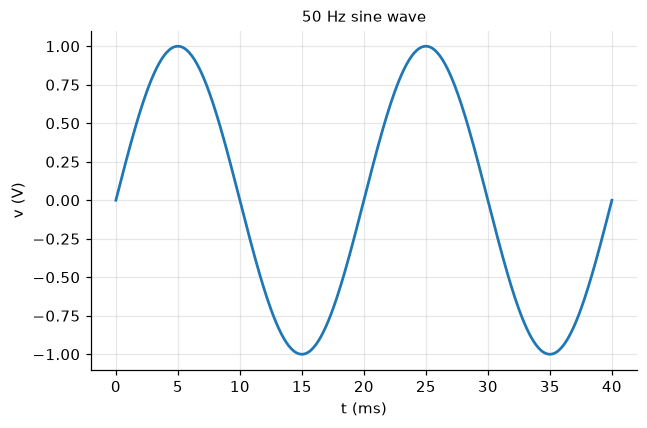
import schemdraw.elements as elm

with schemdraw.Drawing():
    elm.SourceV().up().label("$V_s$")
    elm.Resistor().right().label("$R$")
    elm.Capacitor().down().label("$C$")
    elm.Line().left()